For managers, founders and team leads
Be in the meeting. Not in your notes.
Be present. Dalm keeps the record.
Tue, · Mark: “I'll own the launch.”
Dictate into any app. Record any conversation. Keep every thought.
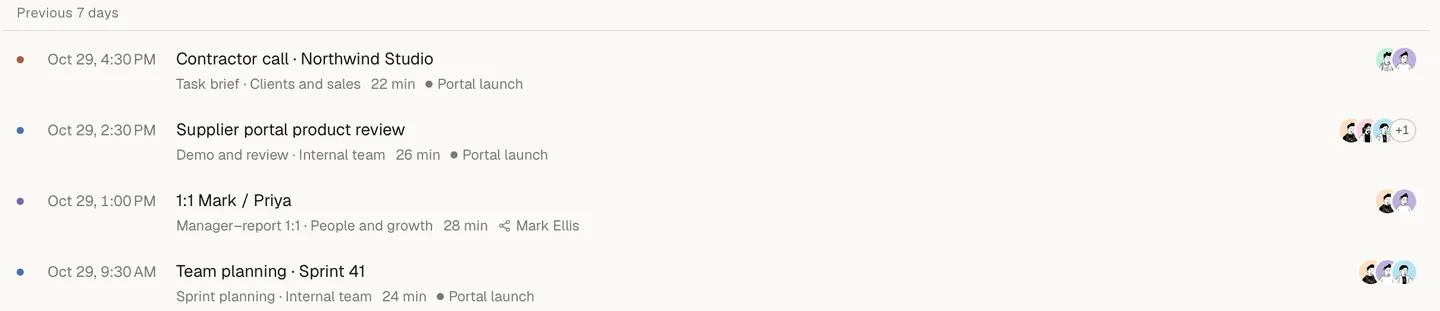
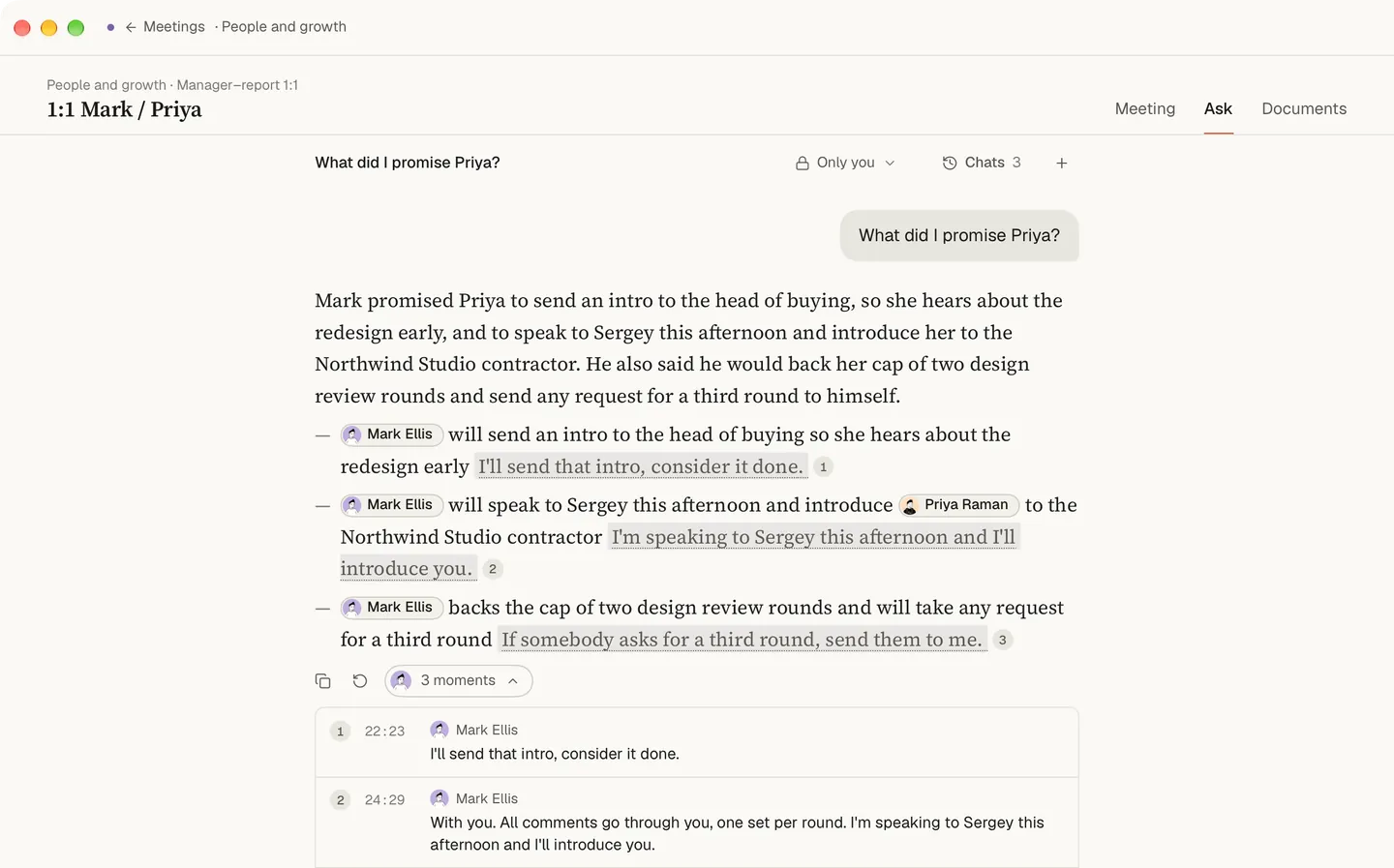
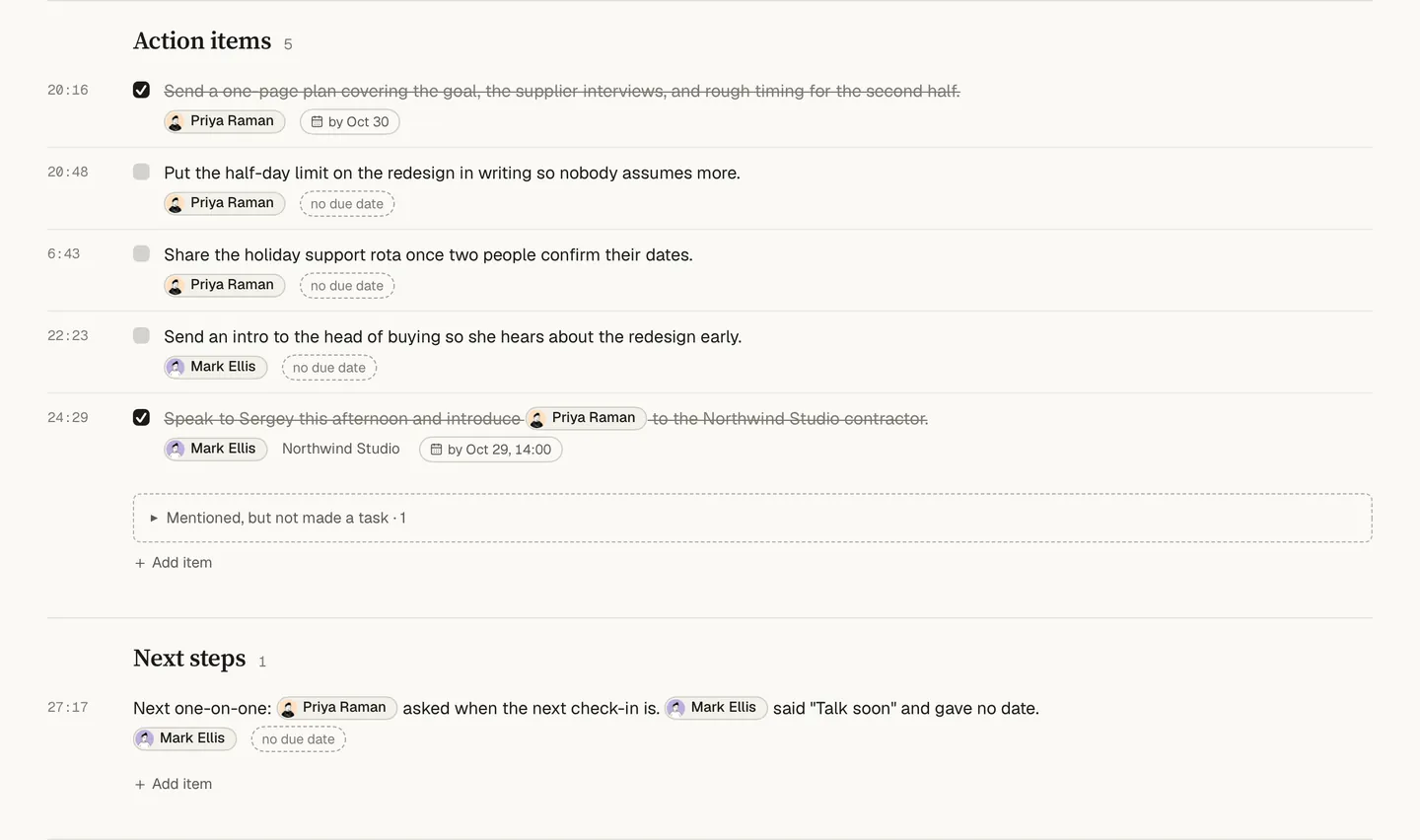
Dalm records your meeting on your Mac without a bot: it takes your microphone and the sound of the call, shows a live transcript while people talk, and lets you mark a moment with ⌥M. Speech is recognised on your Mac, and the text goes to our servers, where the document is written after the meeting. You take part in the conversation; the record is kept for you.
Three moments from a manager’s week
A meeting of eight. Seven people are typing. You are listening, and you ask the question nobody else asked, because you are not busy writing down the last answer.
A week later. Someone asks who took the launch. You open the meeting and find the line, with the name and the minute next to it.
Monday. Instead of retelling last week’s context to the person who missed it, you send the document that was written after the meeting.
What Dalm does for you
- During the meeting: a live transcript runs beside your own notes, and ⌥M marks a moment you will want to find later. The summary afterwards is built around what you wrote down.
- After the meeting: a document in a structure that fits the meeting — decisions and tasks appear when the meeting had them. Export it as PDF, Word or Markdown.
- Between meetings: dictate into any app, at the cursor, and find the dictation later in the same archive. Meetings and dictations show up in Spotlight too.
Nobody in the call is surprised
People remember it differently. Dalm shows it as it was.
No bot joins the call, so nobody has to ask what the extra participant is. That also means Dalm does not tell anyone it is recording: say so at the start, the way you would before pressing record on anything else.
Your role
- Product managers
- Founders
- One-on-one meetings
- Back-to-back meetings
- Meetings on Zoom and Microsoft Teams, and the meeting minutes template
Where Dalm stops for a manager
- It runs only on a Mac with Apple Silicon and macOS 15.0 or newer.
- It has no integrations: the document stays in Dalm until you export or share it.
- In a team workspace, a meeting is seen by the whole team by default; elevated and protected privacy narrow that, and the team page says who sees what.
- Dictation and meeting recording do not run at the same time: during a meeting, your notes go into the meeting itself.
Questions
- Does a bot join the call?
- No. Dalm records your microphone and the sound your Mac plays, so the people in the call see no extra participant. That works the same in Zoom, Google Meet and Microsoft Teams. The app does not announce the recording either: saying at the start that you are recording is up to you, and most teams settle it once.
- Does my team see my meetings?
- In a team workspace a meeting is seen by the whole team by default. A meeting can be set to elevated or protected privacy, which narrows who sees it, down to its owner and the people on its access list. Who sees what in a team is described on the team page, together with what happens to meetings when someone leaves.
- Can I export the minutes?
- Yes. The document written after a meeting can be exported as PDF, Word (DOCX) or Markdown, or passed on through the macOS Share menu to mail, Messages or AirDrop. Nothing is mailed to the people in the meeting automatically: what you send, and to whom, stays your decision.
- Does it work for phone calls and meetings in the room?
- Yes. A meeting at a table is recorded through the Mac's microphone, and voices are told apart there as well. A phone call works when it is on speaker next to the Mac. Either way the speech is recognised on your Mac, and the text goes to our servers, where the document is written.
- Which Mac do I need?
- A Mac with Apple Silicon and macOS 15.0 or newer. Dalm is an app for the Mac only; there is no web version, and the iPhone app is in development. The same app records meetings, takes dictation into any app and keeps voice notes, and the Free plan covers all three.