For consultants, freelancers and agencies
Your client remembers it differently. Show them.
No argument. Just the words, the name, the minute.
Mar 14, · Client: “Let's stay at moderate risk.”
Dalm records client conversations on your Mac — video calls without a bot, phone calls on speaker and meetings across the table — and keeps the text on our servers, so you can find what was agreed, who said it and when.
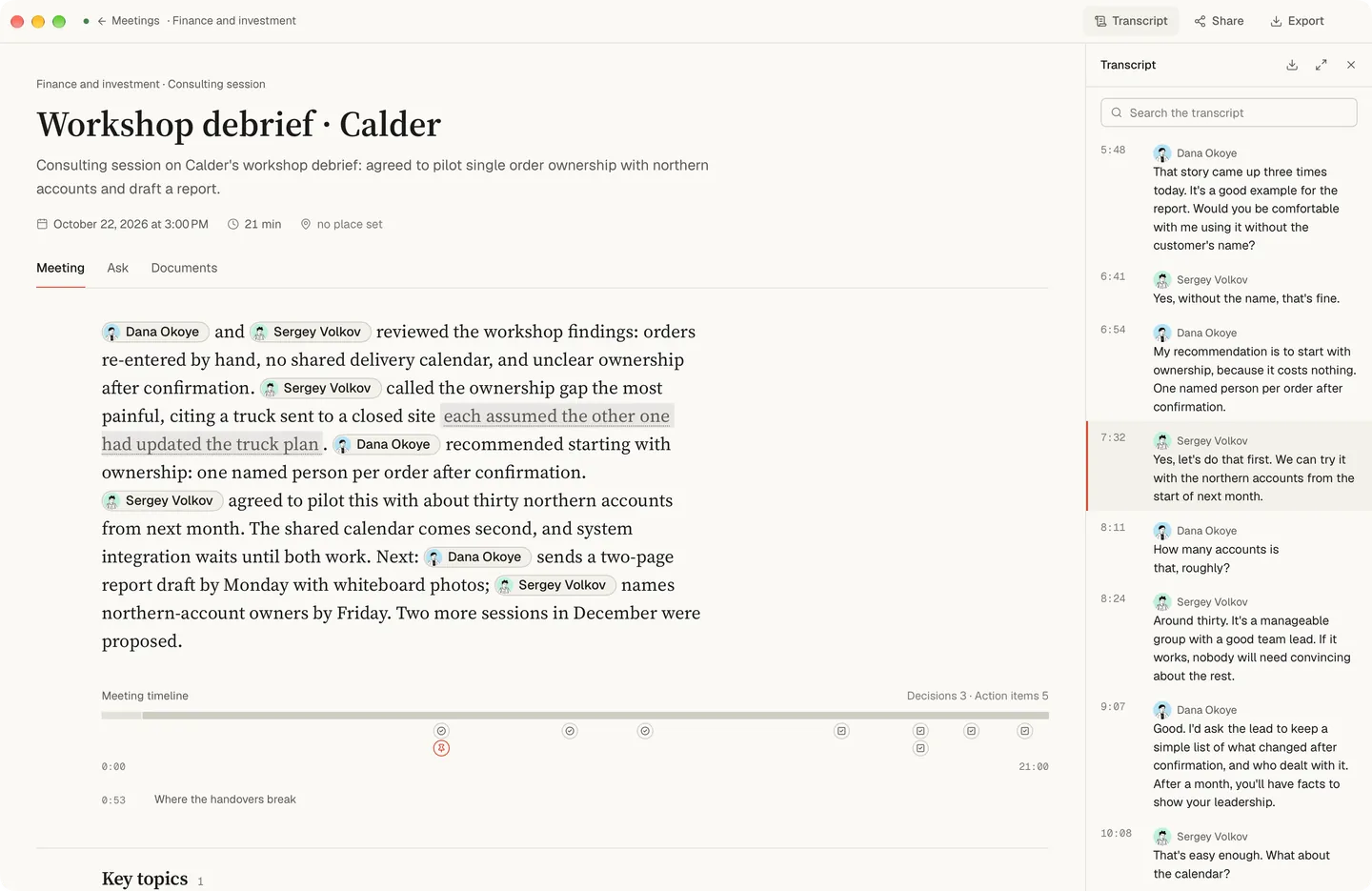
Dalm — your companion for everything you say and hear. Be present. Dalm keeps the record.
Three days, no argument
Financial advisor. “I never wanted risk,” the client says. You find the line from March — moderate risk, their words — and the meeting moves on.
Accountant. The client reads out the numbers on a phone call on speaker. They are already in the text when you hang up.
Recruiter. Ten interviews this week, each in the same structure, the candidate’s words as they said them.
Not a generic summary. A review made for your kind of meeting.
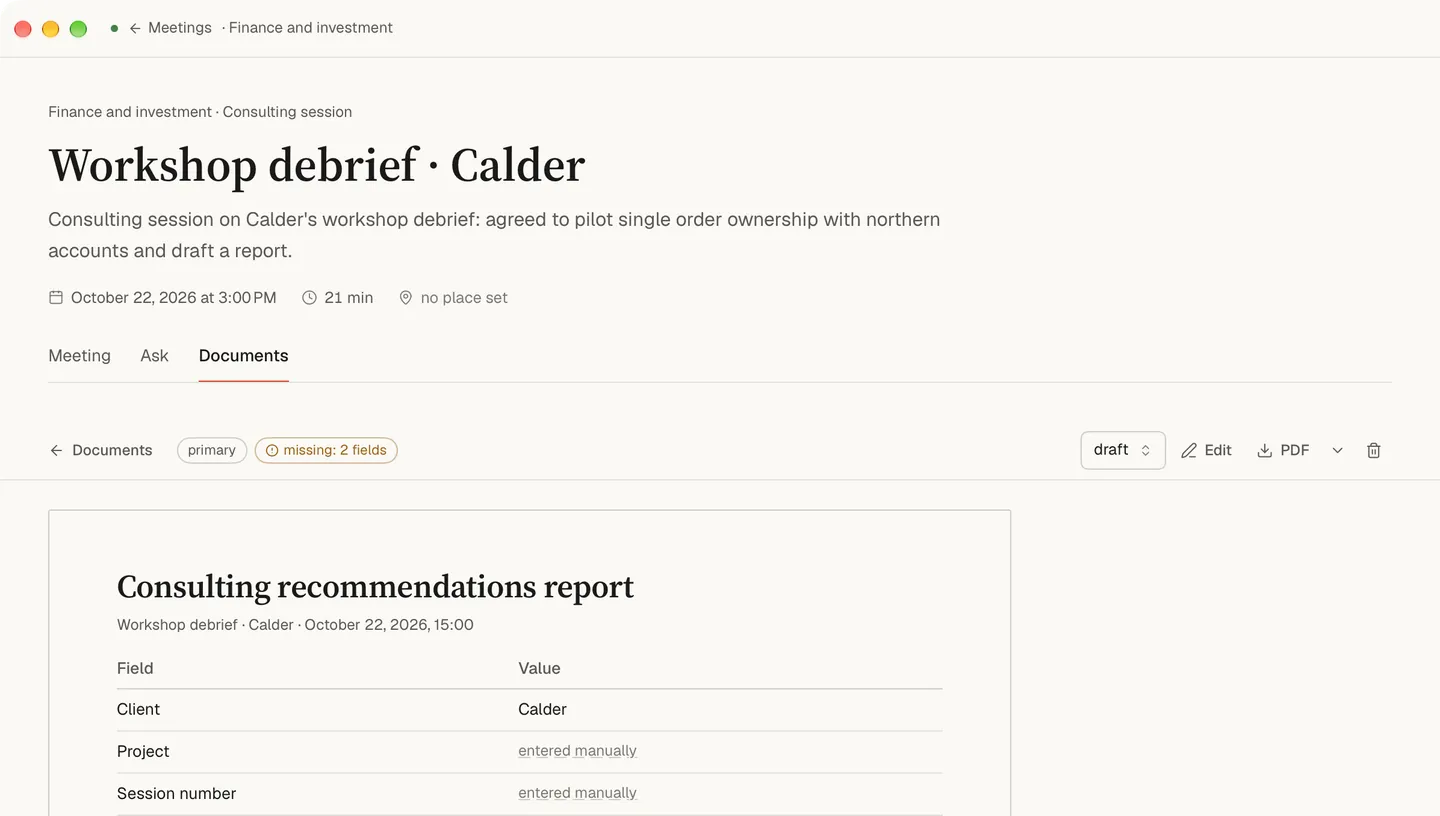
A client call, a brief and an approval meeting each get their own review. Dalm suggests the meeting type — or lets you pick.
Built on research into 181 kinds of meetings. 70 review formats — each for its kind of meeting.
If it wasn’t said, Dalm won’t make it up: fields nobody mentioned stay empty and are marked to fill in by hand.
Where it was said doesn’t matter
A video call is recorded from your microphone and the sound your Mac plays, with no bot in the call. A phone call works on speaker next to the Mac. A meeting across the table is recorded through the microphone, and voices are told apart there too. A recording you already have can be imported. All of it lands in one archive you can search. More on phone calls and meetings in the room.
Your client’s trust
No bot joins the call. You say “I’ll record, OK?” at the start.
A meeting can be set to protected privacy: then only its owner and the people on its access list see it. Restore deleted meetings for 30 days.
Your audio — recorded or imported — is transcribed on your Mac and never sent to our servers. It’s deleted once the text is ready; if processing fails, it stays on your Mac. Files you import are never changed. Your text is synced to our servers and stored in the EU. To create summaries, the text needed for the request is sent to a third-party AI model provider, which may process it outside the EU.
Your profession
- Consultants
- Financial advisors
- Accountants
- Recruiting agencies
- Managed service providers
- Insurance agents
- Client recaps
What it will not do for client work
- It runs only on a Mac with Apple Silicon and macOS 15.0 or newer.
- It has no integrations: notes stay in Dalm until you export or share them.
- Tell everyone you’re recording at the start — one sentence is enough. Recording laws differ by place, and getting consent where it’s required is your responsibility.
- It makes no claim about meeting the record-keeping rules of your industry.
Questions
- Do I need to tell the client I'm recording?
- Yes, and Dalm leaves that to you on purpose. No bot joins the call, so nothing announces the recording for you: say it at the start, the way you would before any recording, and let the client say no. Whether your work needs written consent is for you and your own rules; Dalm makes no claim about them.
- Does it work on phone calls?
- Yes, when the call is on speaker next to the Mac. Nothing plays on the Mac, so the app records the room through the microphone, as it does a meeting at a table, and keeps your voice apart from the voice on the speaker. The text of the call is ready to search once it has been processed.
- Can I send the client the summary?
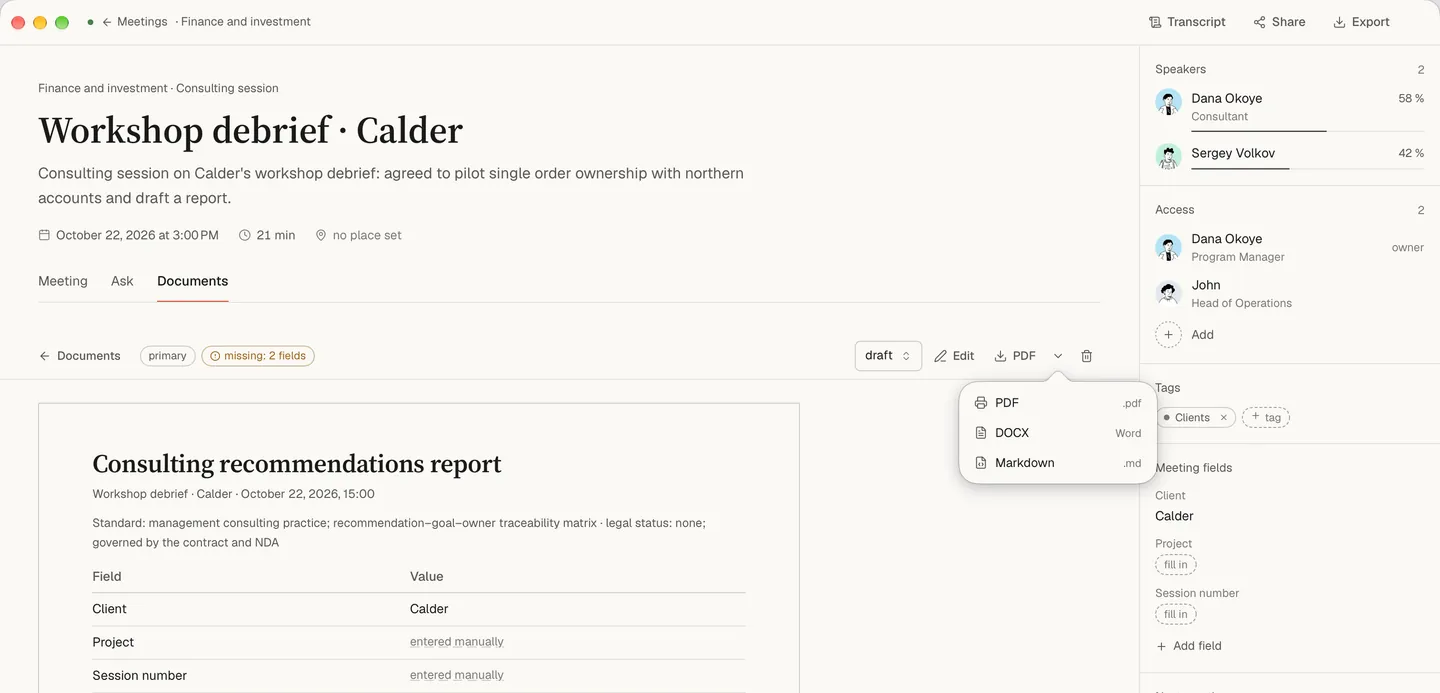
- Yes, by your own action. Export the document as PDF, Word (DOCX) or Markdown, or pass it on through the macOS Share menu, and read it before it goes. Dalm never mails anything to the people in a meeting by itself, and the client gets no link into your workspace.
- Where is the text stored?
- On our servers, in the EU. The audio is not among what is stored there: it is transcribed on your Mac, and only after that does the text sync. A deleted meeting can be restored for 30 days, and after that it is erased. Copies in our backups can stay for up to 30 days longer, and the full breakdown is on the privacy page.
- Which Mac do I need?
- A Mac with Apple Silicon and macOS 15.0 or newer. Dalm runs only on the Mac; there is no web version, and the iPhone app is in development. One app covers client calls, meetings across the table, phone calls on speaker and recordings you already have.